
Download XMTV Player – Free Video Player, Live TV Streaming, Multimedia App for Android and iOS
Overview
XMTV Player is a next-generation multimedia application designed for users seeking a versatile solution to play local media files and stream live TV content. Built with a user-centric approach, the software enables seamless access to videos stored on personal devices while supporting playback from online streaming sources. Its functionality mirrors that of widely used media players such as VLC, offering a familiar interface for playback control, file browsing, and format compatibility. The app is tailored for both casual viewers and media enthusiasts who value flexibility in content consumption across multiple platforms.
Target users include individuals who frequently watch videos on their smartphones or tablets, especially those interested in live television streaming. The software’s ability to handle various video formats—such as AVI, FLV, WMV, and MP4—ensures broad accessibility to existing media libraries. Additionally, its support for live streaming protocols makes it suitable for users who rely on internet-based TV channels. Real-world usage scenarios include watching recorded movies at home, streaming live sports events, or allowing children to view content without accessing other apps.
The developer, XMTV, has positioned the application as a lightweight yet powerful tool for multimedia consumption. It is available on both Android and iOS devices, reflecting a cross-platform strategy aimed at maximizing accessibility. The developer did not provide additional details about the company or its background beyond the app name.
Key Features & Capabilities
- Multi-Format Video Support – XMTV Player is capable of playing a wide range of video formats, including AVI, FLV, WMV, and MP4, allowing users to access their existing media without conversion.
- Live TV Streaming Integration – The app supports popular live streaming protocols, enabling users to access real-time broadcasts from online sources with minimal latency.
- Subtitle Management – Users can load and switch between internal and external subtitles with ease, enhancing accessibility and viewing experience for multilingual content.
- Device Storage Browser – A built-in file explorer allows users to navigate through local storage and select videos directly from folders on their device.
- Kids Lock Feature – This functionality restricts access to other apps during playback, ensuring children can stream content without interfering with device settings or other applications.
These features are particularly beneficial in everyday scenarios such as watching foreign films with subtitles, streaming live news, or managing screen time for younger users. The ability to play diverse formats without external tools reduces friction in media consumption. The Kids Lock feature adds a layer of parental control, making the app suitable for family environments where device safety is a priority.
User Interface, Workflow & Performance
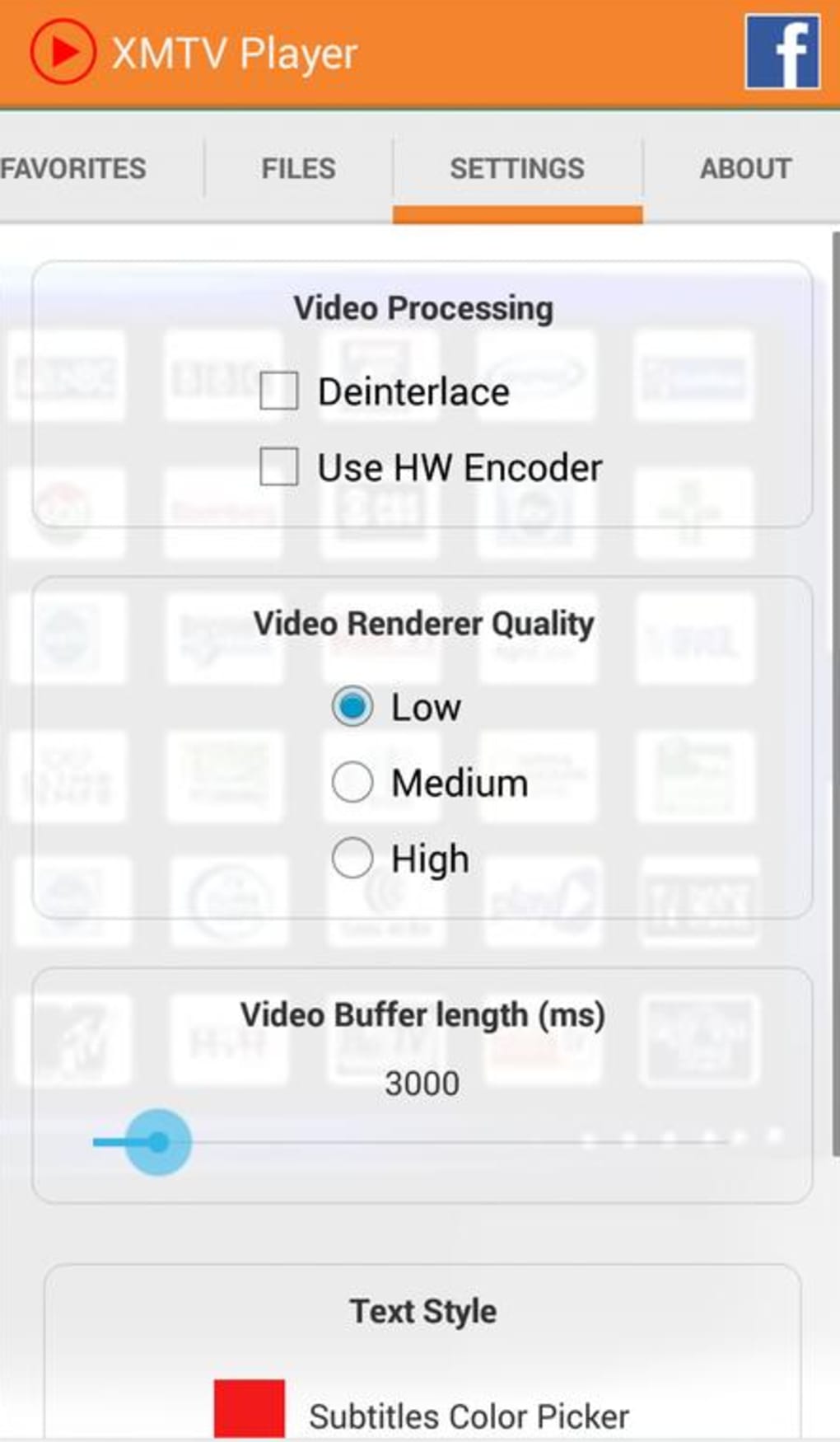
The user interface of XMTV Player is designed to prioritize simplicity and efficiency. Navigation is intuitive, with a clean layout that organizes playback controls, file browsing, and streaming options in a logical hierarchy. The main screen typically displays a media library view, allowing users to browse videos by folder or file type. Playback controls are accessible through on-screen gestures or a dedicated control panel, supporting common functions like play, pause, seek, and volume adjustment.
Workflow efficiency is enhanced by features such as quick access to recently played files and the ability to load subtitles directly during playback. The app maintains responsiveness during playback, though exact performance details were not specified by the developer. General software behavior patterns suggest stable operation under typical usage conditions. The developer did not specify resource usage details, so CPU and RAM behavior remain unknown.
Stability during extended streaming sessions is assumed to be consistent, given the app’s focus on core playback functions. However, without official benchmarks or user-reported data, definitive performance claims cannot be made. Users should expect a standard level of responsiveness typical of lightweight media applications on mobile platforms.
Compatibility & System Requirements
XMTV Player is compatible with both Android and iOS operating systems, indicating broad device support across modern smartphones and tablets. The current version is 2.1.0, with an installation size of 24.5 MB, which reflects a lightweight footprint suitable for devices with limited storage capacity.
Exact system requirements were not listed by the developer. This includes details about minimum OS versions, processor specifications, or memory thresholds. Platform compatibility information is limited to the supported operating systems, and no additional hardware requirements were provided. Users should ensure their device meets the baseline requirements for running Android or iOS applications, as defined by their respective platforms.
Pros and Cons
Pros
- Supports multiple video formats including AVI, FLV, WMV, and MP4
- Enables live TV streaming via popular protocols
- Offers easy subtitle loading and switching
- Includes a Kids Lock feature for parental control
- Lightweight installation size of 24.5 MB
- Free to download and use
Cons
- Exact system requirements were not specified
- Performance details, including CPU and RAM usage, were not provided
- No information on update frequency or future development plans
- Availability of advanced customization options is unclear
- Limited developer transparency regarding company background
FAQ Section
Is XMTV Player available for both Android and iOS?
Yes, XMTV Player is available for both Android and iOS devices, allowing users to install it on their smartphones or tablets.
Is the app free to download and use?
Yes, XMTV Player is offered as a free application with no upfront cost for downloading or basic functionality.
Can I use XMTV Player to watch live TV streams?
Yes, the app supports most popular live streaming protocols, making it suitable for watching live TV content from online sources.
Does XMTV Player support subtitles?
Yes, the application can play both internal and external subtitles and allows users to switch between them easily during playback.
Is the Kids Lock feature secure?
The Kids Lock feature is designed to prevent access to other apps during playback, helping parents manage screen time. However, the extent of its security and limitations are not specified by the developer.
Final Thoughts
XMTV Player presents itself as a capable and accessible multimedia solution for users seeking a free, lightweight tool to play local videos and stream live TV. Its support for multiple formats, integration with live streaming protocols, and inclusion of a Kids Lock feature make it a practical choice for families and casual viewers alike. While detailed system requirements and performance data are not available, the app’s small size and cross-platform availability enhance its appeal.
For individuals looking for a straightforward way to watch videos and live TV on their mobile devices, XMTV Player offers a solid foundation. Its free model and intuitive interface contribute to a positive user experience, despite some transparency gaps. The app is particularly well-suited for users who prioritize ease of access and content variety over advanced customization.
Download XMTV Player now






.png)
